Turn One Live Gig Into a Month of Band Content: An 8-Post Plan
By JP, Sac Capital Audio · Published
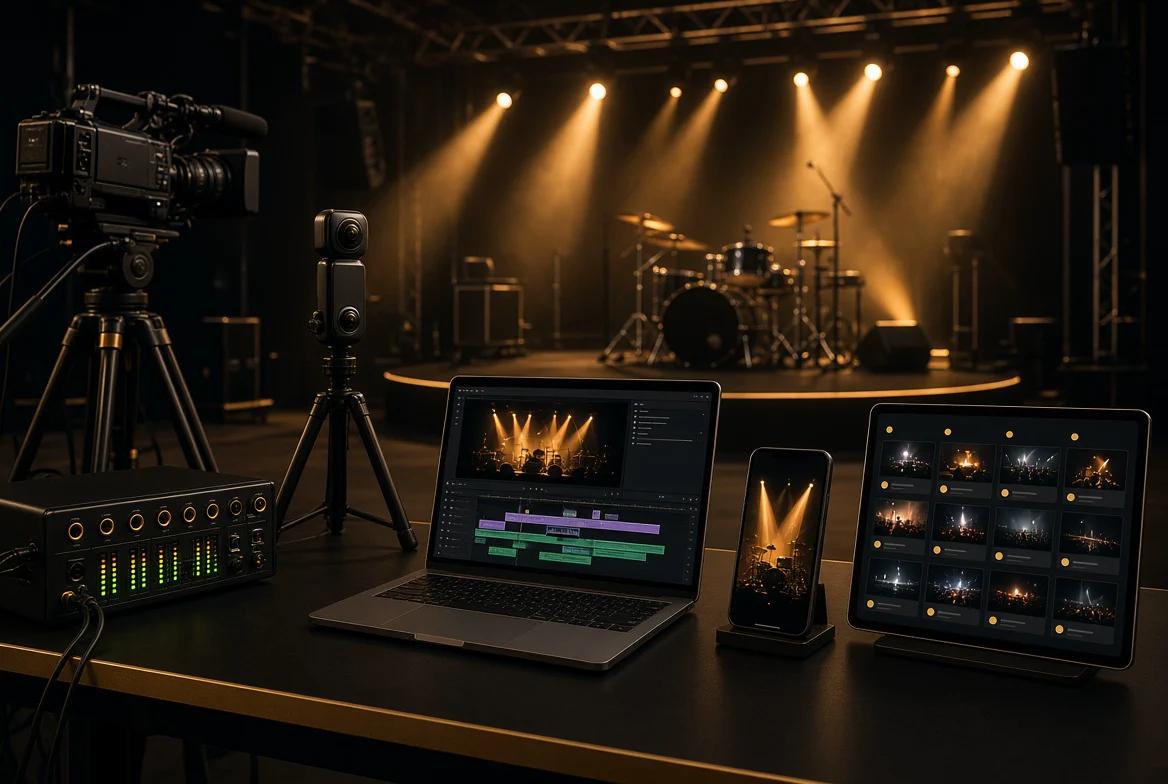
Hero image: an editorial illustration of an empty stage and the equipment used to turn a recording into posts. It is not a documentary photograph or a verified before-and-after edit.
A good show gives your band plenty to talk about afterward. The challenge is finding those moments in the recording and turning them into something people can watch, enjoy, and act on.
Start with one strong full-song performance. Build a few shorter posts around distinct musical moments, add photographs where you have them, and give each post a clear purpose. With enough usable material, that can support a manageable month of promotion.
The plan below uses two posts a week for four weeks. That is a suggested workload, not a platform requirement or a promise of more bookings. If the recording supports four strong posts rather than eight, publish four. The calendar should serve the music.
Start the four-week clock when the finished material is approved and ready to publish. Editing, audio work, and band review may happen after the show. If you need something before then, agree on a separate early preview with your production team.
Jump to the eight-post calendar · Use the four-post fallback · Copy the clip-selection log
1. Decide what you want the footage to do
Before opening an editor, choose a goal for the month. You might want people to watch a complete performance, attend your next show, get to know the musicians, or hear the original song you are promoting.
That choice changes which moments deserve attention. A short instrumental passage can introduce a player. A complete song gives someone more time to evaluate your live performance. A crowd moment can help tell the story of a night, provided the footage accurately represents what happened.
For a Sacramento-area band promoting an upcoming date, a useful sequence could introduce the act, show the musicians performing, then point interested listeners toward the confirmed event details.
Avoid asking one post to do everything. Give it one next step: watch the song, see the show details, or explore the band’s music.
If your immediate goal is venue outreach, use the performance alongside a focused pitch. Our guide to what to send a Sacramento venue when you want a gig covers that separate process.
2. Find the moments worth keeping
Watch the recording once with a notebook or a simple spreadsheet. Note the song, start and end times, what happens, and what the moment could become. Keep an untouched copy of the original files before editing.
Look for a clear vocal passage, a complete musical phrase, a strong solo, an exchange between players, or an authentic audience response. Include setup or backstage material only if it was actually captured and the people involved are comfortable with its use.
Use this selection test:
| Check | Question to ask |
|---|---|
| Sound | Can a new listener follow the main vocal or featured instrument? |
| Picture | Can they see the performer or action that matters? |
| Context | Does the moment make sense without watching the preceding song? |
| Variety | Does it offer something different from the clips already selected? |
| Accuracy | Do the caption, sound, and pictures represent the performance honestly? |
A clip does not need to pass a perfection test. It needs to offer a worthwhile listening or viewing experience. If conversations obscure the song or the camera misses the featured musician, another passage may work better.
Choose your best material before deciding how many posts to make. Cutting the same chorus into several nearly identical videos fills a calendar without giving listeners much new to discover.
Copy this clip-selection log
Copy this block for each candidate into your notes or share it with your editor:
- Source file and song:
- Start and end timestamps:
- Featured player or musical moment:
- Why this passage works:
- Format and destination: Full song, vertical clip, or still; intended platform.
- Viewer’s next step: Watch the song, explore the music, or see show details.
- Review status: Needs edit, approved, or omit—with the reason.
Use timestamps from the named source file. “Clear vocal and a complete phrase” gives an editor more direction than “good clip.” If two passages do the same job, keep the stronger one.
3. Give the full performance and short clips different jobs
Choose one complete song as the main performance people can return to. Make the artist and song easy to identify, and add the venue and recording date when confirmed and useful.
Then select shorter excerpts that each contain a satisfying moment. Start close to the musical action, retain enough context to understand it, and let the phrase resolve where possible. Clip length should follow the material rather than an arbitrary target.
For a concrete local example, compare The Remedies’ full “Jenny Jenny” performance with the vertical version. I made both from the same recording, changing the camera-angle choices and composition for the vertical presentation.
Jenny Jenny: keeping two performers in a vertical edit
For the vertical version, I changed the camera angles and used Insta360’s split-screen option along with overlapping images to show both artists while they were singing. The goal was to keep both vocal performances visible within the narrower frame.
This shows how one recording can support a different edit for a different screen. Split screens give performers separate areas of the frame; overlapping images offer another way to include both. Choose the treatment around the musical action you want viewers to follow.
The tradeoff is visual clarity: split screens make each view smaller, while overlapping images can compete for attention. Preview the result on a phone. Can you follow both singers and see their expressions around the platform’s controls? If the composition becomes too busy, a single view or a cut between performers may communicate the moment more clearly.
Production note: This example is based on JP’s firsthand editing account. Both versions use the same recording; no audience-growth or booking results are claimed.
A portfolio image shows why the crop matters
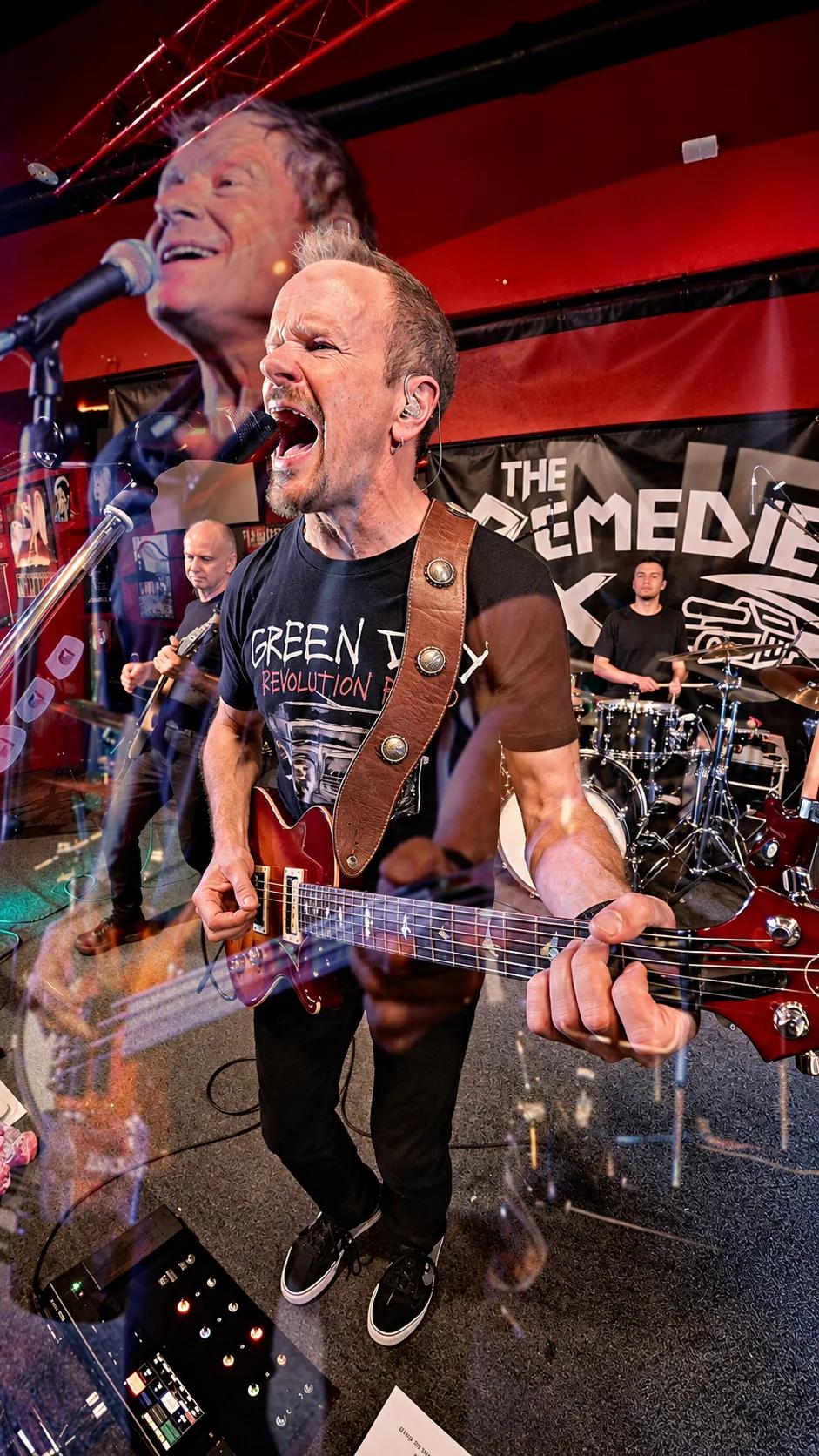
The foreground singer and guitar anchor this image, while a second singer appears in a translucent overlay at the upper left. Other band members remain visible behind them. The composition illustrates another way to include more than one performer within a vertical frame.
A tighter crop around the foreground singer could cut away the second singer’s face or microphone. Keeping both faces visible preserves the two-performer focus, while leaving room for the guitar helps retain the sense of live performance.
Overlapping images also need a clear visual hierarchy. Check that one performer’s face or instrument does not obscure the other’s important action. For video, review the entire passage on a phone: a composition that works as a still may become distracting when both layers move.
4. Make each edit work on a phone
Keep a widescreen version for full-performance viewing and create separate vertical edits where the source supports them. Preview each version on a phone with the destination platform’s interface visible. Check that names, faces, and important action remain unobstructed throughout the clip.
Keep any on-screen wording brief. The band name, song, and a useful piece of context usually do more work than a screen full of promotional copy. Add accurate captions to spoken introductions, and review automatic captions rather than assuming they are correct.
Listen as carefully as you look. Check the edit on headphones and a phone speaker. Avoid abrupt audio cuts that interrupt a phrase, and keep the live sound synchronized with the performance shown.
Check music restrictions before scheduling
YouTube currently allows Shorts up to three minutes, but its guidance says Shorts longer than one minute with an active copyright claim are blocked globally. A shorter clip is not blanket clearance to use a song. Check the upload’s restrictions and the platform’s current music rules before making it part of a campaign. See YouTube’s three-minute Shorts guidance.
Original songs can also receive claims, so review the actual upload status even when your band wrote the music.
Keep a clean master export so you can adapt the presentation for each destination without rebuilding the edit.
Connect a YouTube Short to the full performance
If your channel has advanced-feature access, YouTube lets you attach a Related Video to a Short. In YouTube Studio, open Content, select the Short, choose Related Video, select the full performance from your channel, and save. The selected video must be public or unlisted and follow YouTube’s Community Guidelines.
This creates a clickable route in the Shorts player instead of relying on viewers to search for the full song. Check it after publishing. See YouTube’s Related Video instructions.
5. Build a four-week plan you can sustain
This sample plan assumes a usable complete song, distinct excerpts, and suitable photographs. These are eight pieces of content—not eight posts required on every platform. Release the complete song where people can watch it in full, then direct interested listeners there.
Week one: Introduce the performance
- Release a complete song. Identify the artist and song clearly.
- Share a strong excerpt. Give viewers a working route to the full version.
Week two: Introduce the musicians
- Share live photographs. Add a brief, accurate recap of the show.
- Feature one player. Choose a vocal or instrumental moment that stands on its own.
Week three: Add range and context
- Show a contrasting passage. Use another song if the recording supports it.
- Tell a short, true story. Pair it with a relevant photograph or clip from the performance.
Week four: Give listeners a next step
- Announce a confirmed show. Use suitable footage and distinguish the recorded event from the upcoming one.
- Share another worthwhile moment. Alternatively, answer a real listener question with relevant footage or a photograph.
If there is no confirmed upcoming show, replace the announcement with a link to your current music or an invitation to follow future dates. If you do not have suitable still photographs, use fewer posts or a clearly identified video frame that looks good at the intended size.
A lighter four-post plan
If you have limited footage or editing time, publish one item each week:
- Week one: A complete performance, or your strongest representative excerpt if no full song is usable.
- Week two: A different musical moment that introduces a player or another side of the band.
- Week three: A suitable photograph or clearly labeled video frame with a short, true story about the show.
- Week four: A confirmed upcoming date, or a useful link to your current music if no date is announced.
Skip a week if you have nothing worthwhile to add. Do not manufacture a backstage story or use an unrelated crowd shot to meet the schedule.
Two captions to adapt
These are fill-in templates. Replace every bracketed field with confirmed information before posting.
Performance excerpt
[Band name] performing “[song]” live at [venue]. This passage features [player or musical moment]. Watch the complete performance through [the actual related-video link or destination available on this platform]. Video/audio: [accurate credits].
Upcoming show using older footage
We’re playing [upcoming venue] in [city] on [confirmed date], with music at [confirmed time]. This clip is from our earlier performance at [recording venue] on [recording date]. Show details and tickets: [working destination].
Name the venue shown in the footage separately from the venue being promoted. If an event has no ticket link, use its official information page instead.
Prepare captions alongside the edits and verify names, credits, dates, and links. Keep audience reactions attached to the performance they came from. Ask a specific question when it adds something—for example, which song listeners would like to hear next.
Choose the channels your band can reasonably maintain. Adapt the caption, crop, and next-step instruction to each destination, then check the published result. A written web address is not necessarily a clickable link everywhere it appears.
If the venue wants promotional material, supply the agreed files and accurate event details. Coordinate timing rather than assuming it will repost everything you publish.
6. Measure interest that matters to your band
At the end of the month, review what people did after seeing the material. Views are useful context, but they do not tell the whole story.
Record which posts prompted meaningful comments, profile visits, full-performance viewing, event-link clicks where measurable, or inquiries. Note what you cannot attribute. A person attending a show may have heard about it through several channels.
YouTube’s Analytics for Artists guide explains how to examine formats, traffic sources, watch time, and audience information. Use the reports available to your channel, and compare similar types of content rather than treating a Short and a full song as identical viewing experiences.
Keep a small review log: what you published, what it was intended to do, what happened, and what you would change. One unusually successful or unsuccessful clip is a reason to investigate, not proof of a universal formula.
Also count the work. If preparing eight posts leaves the band no time for rehearsal or responding to listeners, reduce the schedule. A useful content plan is one you can continue.
7. Plan the next recording around the material you need
Before your next gig, make a short list: the complete songs you want, the musicians and moments that need coverage, whether you need live photographs, and where the finished work will appear.
Agree on which full-song edits, vertical clips, and photographs are included, along with delivery timing. Recording the show and preparing finished promotional assets are separate pieces of work. Clear sound and appropriate camera positions give the editor more useful options.
Sac Capital Audio provides live recording, multicamera video, photography, and post-production services for musicians in Sacramento and surrounding Northern California communities. Our portfolio includes work with The Remedies, Shawn Wrangler, and Grant Line Playboys, along with examples of custom EPKs.
Want your next performance to leave you with material you can actually use? Tell us about your band, venue, show date, and intended deliverables. We can discuss a capture and editing plan built around your priorities.
Capture material you can use
Sac Capital Audio provides live recording, multicamera video, photography, and post-production for musicians in the Sacramento area.
Tell us about your band ↗About the author: JP works directly with artists on planning shoots and delivering finished files at Sac Capital Audio, which creates live music video, audio recordings, photographs, and electronic press kits for Sacramento-area artists. The business also sells the production services discussed in this guide. Contact us with a question or correction.
Editorial note: The four-week calendar and clip-selection method are Sac Capital Audio’s editorial recommendations. Portfolio links illustrate available formats, JP’s Jenny Jenny example describes his split-screen and overlapping-image editing choices, and the image example explains framing decisions. No campaign results, booking increases, or audience-growth figures are claimed. Platform guidance was checked November 6, 2026.
Sources and further reading
- The Remedies: Jenny Jenny vertical video — link supplied by JP, with his firsthand confirmation that both versions use the same recording, with different camera-angle choices, split screens, and overlapping images in the vertical edit.
- YouTube Help: Add a related video to your YouTube Shorts — living documentation; checked November 6, 2026.
- YouTube Help: Understand three-minute YouTube Shorts — living documentation; checked November 6, 2026.
- YouTube for Artists: Analytics for Artists — living documentation; checked November 6, 2026.
- Sac Capital Audio: The Remedies portfolio — firsthand business portfolio and linked performance formats.
- Sac Capital Audio: What Should You Send a Sacramento Venue When You Want a Gig? — November 5, 2026; companion guide for venue outreach.